
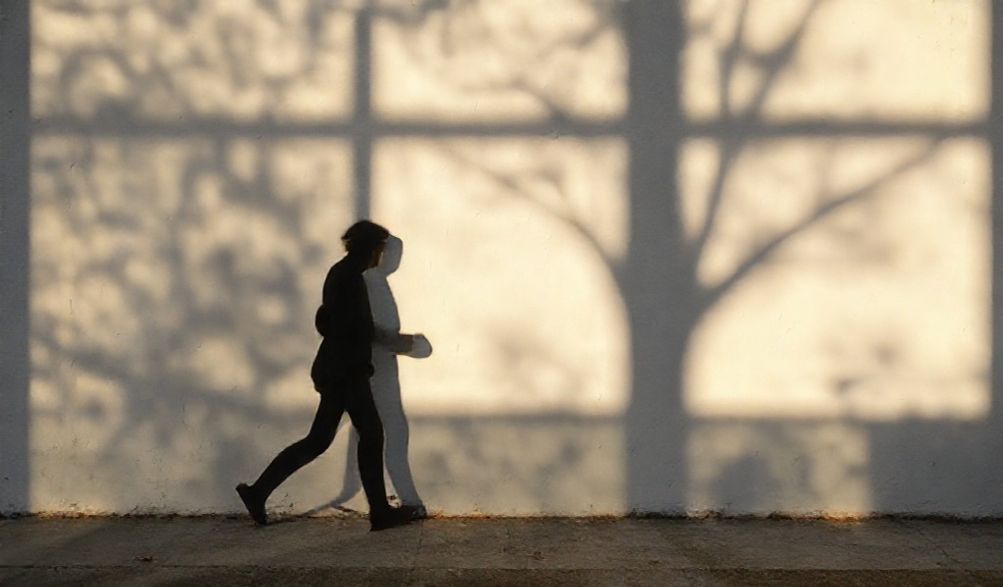
How to Avoid Shadows in Pictures: A Pro Photographer’s Lighting Guide
We’ve all been there. You set up the perfect shot—a glowing portrait, a meticulously styled product, a beautiful landscape—only to review the image and find it marred by dark, distracting, and unflattering shadows. That harsh line cutting across a face, the deep gloom obscuring a product’s details, or the chaotic dark patches in a still life can turn a potential masterpiece into a frustrating disappointment.
As a professional photographer with over a decade of experience in both controlled studios and unpredictable natural light, I can tell you this: shadows are not your enemy. Uncontrolled shadows are. The difference between an amateur and a professional shot often boils down to the mastery of light and shadow. This guide isn’t about sterile theory; it’s a practical, hands-on manual drawn from years of solving this exact problem for clients and personal projects. I’ll show you actionable techniques for how to avoid shadows in pictures, transforming your photos from good to clean, professional, and polished by teaching you how to eliminate shadows with lighting.
Whether you’re using a smartphone, a DSLR, or studio strobes, the core principles remain the same. By the end of this guide, you’ll understand not just what to do, but why it works, empowering you to create shadow-free pictures in any situation.
Understanding Light & Shadow: The Core Principles
Before we reach for modifiers and reflectors, we must understand what we’re working with. Controlling shadows starts with understanding the fundamental nature of light itself. This foundational knowledge is what separates a technician from an artist and establishes true control over your photographic environment.
Hard Light vs. Soft Light: What Creates Harsh Shadows?
The single most important concept in shadow control is the distinction between hard and soft light.
- Hard Light comes from a small, pinpoint light source relative to your subject. Think of the sun at noon on a clear day, a bare camera flash, or an unmodified lightbulb. Because the rays are traveling in a relatively parallel, focused manner, they create shadows with very sharp, well-defined edges that are high in contrast. These are the harsh, distracting shadows we typically want to avoid.
- Soft Light comes from a large, broad light source relative to your subject. Think of the sun on a completely overcast day, a large window, or a strobe firing into a big softbox. The light rays are arriving from many different angles, “wrapping around” the subject. This creates shadows with soft, gradual, feathered edges that are low in contrast. Often, these shadows are so subtle they are barely noticeable, which is our goal for “shadowless” imagery.
The rule is simple: To avoid harsh shadows, make your light source larger and closer to your subject.
The Role of Light Direction: Front, Side, and Back Lighting
Where you place your light in relation to your subject and camera determines where shadows fall.
- Side Lighting: Placing the light to the side of your subject creates long, dramatic shadows that define texture and shape. It’s artistic but rarely “shadow-free.”
- Back Lighting: Placing the light behind your subject creates a silhouette or a rim-light effect. The shadow is cast directly toward the camera, often putting the front of the subject in deep shade.
- Front Lighting: Placing the light close to the camera axis, shining directly onto the front of the subject, minimizes visible shadows. The shadows are cast directly behind the subject, hidden from the camera’s view. This is the foundational position for eliminating problematic shadows.
Essential Tools to Control and Eliminate Shadows
With the principles in mind, let’s talk gear. These are the trusted tools I use daily to sculpt light and fight shadows. You don’t need everything at once; start with one and build your kit.
Modifiers to Soften Your Light Source
These tools attach to your flash or strobe to transform hard light into soft light.
- Softboxes: The studio workhorse. They enclose the light and diffuse it through a layer of white fabric. The larger the softbox, the softer the light. A rectangular softbox gives directional control, while an octagonal softbox (octabox) creates beautiful, round catchlights in the eyes.
- Umbrellas: The most affordable and portable modifier. Shoot-through umbrellas diffuse light directly, while reflective umbrellas bounce light back onto the subject for a slightly broader, if less controlled, effect.
- Scrims & Diffusion Panels: These are standalone frames covered with diffusion material (like silk or white fabric). You place them between a hard light source (like the sun or a window) and your subject to instantly soften it. They are incredibly versatile for both studio and location work.
Reflectors: The Budget-Friendly Shadow Fighter
A reflector is nothing more than a surface that bounces existing light. It’s the simplest, most cost-effective tool for filling in shadows.
- White: Provides a soft, neutral fill light. Perfect for subtle shadow lifting without affecting color temperature.
- Silver: Offers a brighter, more specular bounce. It adds more punch and contrast than white.
- Gold: Imparts a warm, sunny glow. Ideal for golden hour portraits to fill shadows while maintaining a warm tone.
- 5-in-1 Kits: A fantastic starter option, these circular, collapsible discs typically include white, silver, gold, a black side (to subtract light), and a diffusion panel.
Using Multiple Light Sources: Key, Fill, and Backlight
For ultimate control, you can use multiple lights, each with a specific job.
- Key Light: Your main, dominant light source. It establishes the lighting pattern and direction.
- Fill Light: Its sole purpose is to reduce the contrast created by the key light by illuminating the shadows. It is almost always softer and less powerful than the key. This can be a second light with a modifier or, more commonly, a reflector.
- Backlight/Rim Light: Placed behind the subject, it separates them from the background by creating a bright outline. This doesn’t eliminate shadows but adds professional polish to a multi-light setup.
A simple two-point setup (Key + Fill) is the classic recipe for controlling shadow density and achieving balanced, flattering light.
Practical Techniques: How to Avoid Shadows in Different Scenarios
Let’s apply the principles and tools to real-world situations. This is the hands-on, experience-driven core of how to avoid shadows in pictures.
Eliminating Shadows in Indoor Portrait Photography
- Window Light + Reflector: This is a classic, beautiful, and free setup. Position your subject so the window light hits them from the front/side. Place a white or silver reflector on the opposite side of their face, angled to bounce the window light back into the shadows. This creates a natural, soft, and shadow-balanced look.
- One-Strobe Simplicity: Use a single speedlight or strobe with a large softbox. Position it as close to your subject as possible, just above your camera height and slightly to one side. The proximity and size of the source will create wonderfully soft, wraparound light that minimizes harsh shadows. Position your subject a few feet away from any wall to prevent ugly “cast shadows” on the background.
- Bounce Flash: If you must use an on-camera flash, never point it directly at your subject. Angle the flash head to bounce off a nearby white ceiling or wall. This turns the entire ceiling/wall into a giant, soft light source, dramatically softening shadows.
Shadow-Free Product and Flat Lay Photography
The goal here is often completely even, shadowless illumination to highlight detail and color.
- The “Cloudy Day” Simulation: Place your product between two large diffusion panels or scrims. Position your lights (or use window light) to shine à travers the scrims onto the product from both sides. This envelops the object in soft, even light.
- DIY Light Tent: For small objects, you can build a “light tent” using a white translucent box or even a white sheet draped over a frame. Shine lights through the fabric from the outside. The entire tent becomes the light source, resulting in near-total shadow elimination.
- The Sweeping Sweep: For the clean, “infinity” background look, use a seamless backdrop paper (a “sweep”). Curve it from vertical to horizontal so there is no hard corner. When lit evenly, this eliminates the shadow line where the wall meets the floor, creating a pure, professional backdrop.
Minimizing Shadows in Outdoor and Natural Light Photos
You can’t control the sun, but you can control how you use it.
- Open Shade is Your Friend: Move your subject into the shade of a building or under a dense tree canopy, but ensure the sky above them is open (not a small patch of dark shadow). This provides a massive, soft overhead light source. Avoid “dappled” light under trees, as it creates splotchy shadows.
- Embrace Golden Hour: The hour after sunrise and before sunset provides directional but incredibly soft light because the sun is a large, low-angled source. Shadows are long but soft and flattering. Use a reflector to fill if needed.
- Harness Fill Flash: In harsh midday sun, shadows under eyes, noses, and chins are deep. Use your camera’s flash or a speedlight on a low power setting (“fill flash”) to pop a bit of light into those shadows. This balances the exposure and lifts the dark areas.
Advanced Lighting Setups for Flawless Results
For those looking to achieve studio-perfect consistency, these controlled setups are the gold standard.
Clamshell Lighting for Beauty & Headshots
This setup is renowned for its ability to virtually erase shadows on a face, creating smooth, even skin tones. You’ll need two lights with large modifiers (softboxes or beauty dishes).
- Place your Key Light directly in front of and above your subject’s face, pointing down at about a 45-degree angle.
- Place your Fill Light directly in front of and below your subject’s face, pointing up at a similar 45-degree angle.
- La lumière d'appoint doit être réglée sur une puissance inférieure (environ 1 à 2 diaphragmes de moins) à celle de la lumière principale. Cela crée un éclairage doux et remplisseur d'ombres par le bas, qui élimine les ombres sous les yeux et produit un motif d'attrait lumineux distinctif et glamour.
Créer un éclairage “ infini ” véritablement sans ombres
Il s'agit de la technique ultime pour une élimination absolue des ombres, souvent utilisée en photographie de beauté haut de gamme, de produit et scientifique.
- La Crique Infinie (Sweep) : Il s'agit d'une structure de studio permanente ou semi-permanente avec une transition lisse et incurvée du mur au sol, peinte en blanc. Comme il n'y a pas d'angle, la lumière peut s'y répartir uniformément, créant un arrière-plan sans ombres et sans couture.
- L'Éclairage : La clé est un éclairage frontal, large et uniforme. Ceci est souvent réalisé avec deux grands softboxes placés de chaque côté de l'appareil photo, pointés vers le sujet, ou avec un seul et très grand banc de lumières. La lumière atteint le sujet et la crique de manière uniforme, ne laissant aucun endroit où les ombres peuvent se former. Pour les objets plus petits, un banc de reproduction avec caisson à lumière ou vos intégré utilise ce même principe. FAQ : Comment éviter les ombres en photo.
Q : Quelle est la méthode la plus simple pour éviter les ombres avec un smartphone ?
Utilisez une grande fenêtre comme source principale. Asseyez-vous face à la fenêtre. Ensuite, tenez une grande feuille de carton plume blanc, du papier, ou même un t-shirt blanc sur vos genoux ou juste sous l'appareil photo, incliné vers le haut pour renvoyer la lumière de la fenêtre dans les ombres de votre visage. Un éclairage instantané et d'apparence professionnelle !
R : Q : Puis-je supprimer les ombres dans un logiciel de retouche comme Photoshop ?
Bien que des outils comme le curseur Ombres/Lumières, l'outil Densité -, ou une séparation de fréquence avancée puissent
R : atténuer l'obscurité des ombres, il est toujours préférable de réduire « corriger à la prise de vue ». “Relever agressivement les ombres en post-production peut introduire du bruit, créer des effets HLD non naturels et dégrader la qualité globale de l'image. Un bon éclairage est irremplaçable.” Q : Quel est le meilleur modificateur de lumière unique pour réduire les ombres ?.
Pour un choix polyvalent et gagnant à tous points de vue, un
R : grand softbox octogonal (Octabox) est difficile à battre. Sa taille crée une belle lumière douce, et sa forme produit des reflets ronds et agréables dans les yeux. Placez-le près de votre sujet et juste au-dessus de l'axe de l'appareil pour des portraits flatteurs avec des ombres minimisées. Q : Comment éviter les ombres lors de la photographie d'objets brillants ?.
Ce défi consiste à contrôler les
R : reflets, qui sont cousins des ombres. La solution est similaire : utilisez des, sources de lumière grandes et diffusées. Une lumière dure créera un reflet petit, brillant et distrayant. Un grand softbox créera un reflet doux, progressif et agréable qui définit la forme sans distraction. Souvent, la source lumineuse elle-même devrait être la seule chose reflétée.. Maîtriser comment éviter les ombres en photo revient, au fond, à maîtriser la lumière. C'est le passage du statut d'observateur passif de la lumière à celui de directeur actif. Nous avons vu que le secret réside dans la compréhension de la qualité de la lumière (douce vs dure), le contrôle de sa direction (le frontal est clé), et l'utilisation d'outils comme les diffuseurs et les réflecteurs pour remplir et sculpter.
Conclusion
Retenez le conseil fondamental :.
recherchez une lumière douce, frontale et remplie. Commencez simplement. Prenez un réflecteur et entraînez-vous avec une fenêtre. Observez la transformation immédiate. Ce ne sont pas seulement des astuces ; ce sont les mêmes techniques fondamentales, issues de l'expérience, utilisées quotidiennement dans les studios professionnels et par les photographes de reportage pour créer des images nettes et percutantes. Maintenant, c'est à vous. Prenez votre appareil, trouvez un sujet et pratiquez une technique de ce guide. Partagez vos résultats et voyez comment prendre le contrôle des ombres améliore instantanément votre photographie. Prêt pour l'étape suivante de votre parcours en éclairage ? Explorez notre.
[Guide du Débutant pour le Flash Hors Appareil] pour débloquer un contrôle créatif encore plus grand. Comment Prendre Une Photo Sans Ombre.
p>