
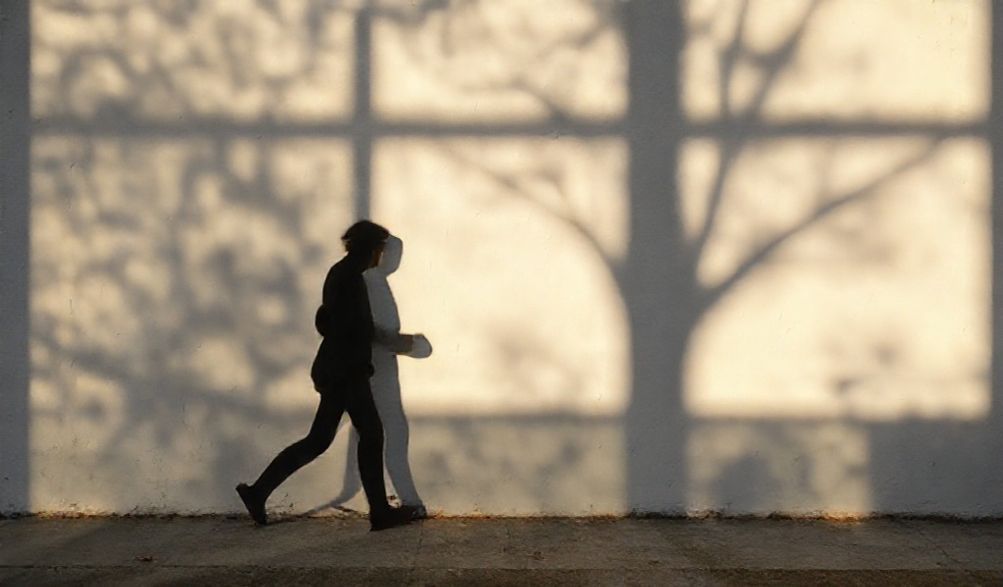
How to Avoid Shadows in Pictures: A Complete Lighting Guide for Flawless Photos
Have you ever taken what you thought was the perfect picture, only to find a harsh, distracting shadow ruining the shot? You’re not alone. Unwanted shadows are one of the most common frustrations in photography, whether you’re capturing a product for your online store, taking a portrait, or documenting a cherished moment. For over a decade in professional photography, I’ve learned that mastering light isn’t just a technical skill—it’s the primary tool for telling a visual story. This guide is crafted from that experience. We’ll move beyond theory and provide you with practical, actionable techniques to eliminate harsh shadows and achieve beautifully lit, professional-looking images every time. By the end, you’ll understand not just the “how,” but the “why” behind lighting, empowering you to solve shadow problems in any shooting scenario.
Understanding Light & Shadow: The Core Principles
Before we fix shadows, we need to understand what causes them. At its simplest, a shadow is created when an object blocks a light source. But not all shadows are created equal. Their intensity, softness, and direction—what makes them flattering or frustrating—are controlled by three key factors. Grasping these principles is the first step toward taking control of your lighting.
The Size and Distance of Your Light Source
This is the single most important concept in controlling shadows. Think of the difference between the hard, sharp shadow you cast under the midday sun and the soft, barely-there shadow on a completely overcast day. The sun is huge, but because it’s so far away, it acts as a small, point light source, creating hard shadows.
The rule is: The larger and closer your light source is relative to your subject, the softer the shadows will be.
- Small, Point Source: A camera flash, a bare lightbulb, or direct sunlight creates hard, defined shadows with sharp edges. These are often unflattering and distracting.
- Large, Diffused Source: A cloudy sky, a large window with sheer curtains, or a professional softbox acts as a massive light source. The light wraps around the subject, softening shadows and creating gentle transitions from light to dark. To soften shadows, your goal is always to make your light source bigger.
The Angle of Incidence
This describes the height and direction of your light. The lower the light source is to the subject, the longer the shadows it casts. A sunrise or sunset creates long, dramatic shadows. Conversely, overhead lighting—like the noon sun or a ceiling light—creates short, often unflattering shadows. In portraits, this causes “raccoon eyes” (deep shadows in eye sockets) and shadows under the nose and chin. For most subjects, positioning your light source slightly above and to the side of the subject (at a 30-45 degree angle) creates a natural, dimensional look.
Multiple Light Sources vs. A Single Point
Using one light almost guarantees shadows on the opposite side. The professional solution isn’t to remove that one light, but to manage those shadows by introducing additional light or reflective surfaces. A second light or a simple reflector “fills in” the shadows, reducing their depth and contrast without eliminating the sense of dimension that makes a photo feel real.
Practical Techniques to Eliminate Shadows in Your Pictures
Now, let’s apply that theory. Here are proven techniques you can use immediately, starting with free natural light solutions and moving to essential tools.
Harnessing Natural Light Like a Pro
You don’t need expensive gear to start taking shadow-free photos. The sun is your best free light source—if you know how to use it.
- Use a Window, Not Direct Sun: A large window is nature’s softbox. For the softest light, use a north-facing window (in the Northern Hemisphere) as it provides consistent, indirect daylight. Have your subject face the window. The light will be flattering and shadow-soft.
- Employ the “Golden Hour”: Shoot during the hour after sunrise or before sunset. The sun is low in the sky, and its light is diffused by traveling through more of the Earth’s atmosphere. This creates a soft, warm, and directional light that produces beautiful, long shadows that are part of the aesthetic, not a mistake.
- DIY Diffusion for Harsh Sun: If you must shoot in direct sunlight, create a diffuser. Hang a white bed sheet, a translucent shower curtain, or a dedicated photography scrim between your subject and the sun. This turns the harsh, small sun into a massive, soft light source, instantly softening shadows.
Essential Tools for Shadow Control
When you’re ready to step up your game, a few inexpensive tools offer incredible control.
- Diffusers: These are placed in front of your artificial light to enlarge and soften it. A softbox is a staple for a reason—it creates beautiful, wraparound light. A shoot-through umbrella does a similar job and is highly portable. Even a simple 5-in-1 reflector has a translucent diffuser panel that’s perfect for small setups.
- Reflectors: This is your secret weapon for filling shadows. By bouncing existing light (from a window or your main light) back onto your subject, you illuminate the dark side. White reflectors give a neutral fill, silver adds more punch, and gold adds warmth. No reflector? A piece of white poster board, foam core, or even a large white piece of paper works perfectly.
- Fill Lights: This is a secondary, less powerful light source dedicated solely to illuminating shadows created by your main “key” light. It doesn’t have to be fancy—a simple LED panel or even a second speedlight set to a lower power can act as your fill.
The “Bounce Flash” Technique for On-Camera Flash
The built-in flash on your camera is a recipe for harsh shadows, red-eye, and unflattering light. The instant fix is bounce flash. If your flash head can tilt or swivel, angle it upwards towards a white ceiling or sideways onto a light-colored wall. This turns that entire surface into a giant, soft light source. The light rains down or wraps around your subject, creating soft, natural-looking illumination that virtually eliminates the harsh shadows and “deer-in-headlights” look of direct flash.
Advanced Setup: Building a Simple Shadow-Free Lighting Studio
For consistent, professional results—ideal for product photography, YouTube videos, or portrait headshots—a controlled, repeatable setup is best. Here’s how to build one.
The Two-Light Setup with Diffusers
This is a fantastic starting point for a home studio. Position two identical softboxes (or lamps with diffusion) at 45-degree angles on either side of your camera, pointing at your subject. This creates balanced, even light that fills shadows from the opposite source. It’s particularly effective for flat lays, product shots, and interview-style videos where a clean, shadow-minimized look is desired.
Implementing Three-Point Lighting
This classic studio setup provides full dimensional control and is the gold standard for portraiture and video. It uses three lights:
- Key Light: Your main, strongest light (always with a diffuser like a softbox), placed at a 30-45 degree angle to the subject. This establishes the primary light pattern and casts the main shadows.
- Fill Light: Positioned on the opposite side of the camera from the key light. It is softer and less powerful (often achieved by using a larger diffuser, moving it further away, or lowering its power). Its sole job is to gently fill in the shadows created by the key light, controlling the contrast.
- Back Light (or Hair Light): Placed behind and above the subject, pointing towards their back/head. This light separates the subject from the background by creating a subtle rim of light around their edges, adding depth and polish. It further reduces the flatness that can sometimes come from aggressive shadow filling.
The Ultimate Shadow Killer: Light Tents for Small Products
If you photograph small objects for e-commerce, a light tent (or light box) is your best investment. These are cube-shaped enclosures made of white, diffusing fabric. You place your product inside and shine lights (or use natural light) on the outside of the tent. The fabric diffuses the light from all sides, creating an incredibly even, nearly shadow-free environment that makes products look crisp and professional with minimal effort.
Post-Processing Tips to Reduce Lingering Shadows
Sometimes, despite your best efforts, a distracting shadow remains. Use these post-processing edits subtly to enhance, not to create a fake-looking image.
- Global Adjustments: In software like Adobe Lightroom or Capture One, gently raising the “Shadows” slider can recover detail and lighten shadow areas across the entire image. Be careful not to overdo it, as this can introduce noise and make the image look flat.
- Local Adjustments: For more precision, use local tools. The Dodge Tool in Photoshop (or the “Brush” in Lightroom with increased Exposure/Shadows) allows you to paint light onto specific shadow areas. A Radial Filter or Graduated Filter can be used to brighten a specific region, like a shadow falling across a subject’s face.
- Clone and Heal: For small, distracting shadow lines—like a dark crease from a piece of fabric or a tiny product shadow—the Clone Stamp or Healing Brush tools can carefully sample nearby areas and blend them over the shadow. This is a last-resort, detail-oriented fix.
FAQ: How to Avoid Shadows in Pictures
Q: What is the easiest way to avoid shadows with natural light?
A: Place your subject facing a large, bright window (out of direct sunlight) and use a white reflector or a piece of white cardboard on the opposite side to bounce light back into the shadow areas. This simple, two-element setup is used by professionals worldwide.
Q: How do I avoid shadows when taking pictures with my phone?
A: 1) Use natural window light as described above. 2) Avoid using the built-in flash unless you can bounce it off a nearby ceiling or wall. 3) Get creative with reflectors: use a white piece of paper, a book with a white cover, or even turn up your phone’s brightness and use its screen as a tiny fill light for close-up shots.
Q: What household items can I use to diffuse light?
A: White bed sheets, parchment paper (taped safely over a lamp shade—never touching a hot bulb!), a translucent plastic storage bin lid, a frosted shower curtain, or even a plain white t-shirt stretched over a frame can act as excellent, cheap diffusers.
Q: Is it better to have some shadows or no shadows at all?
A: Completely shadowless light can look flat, unnatural, and two-dimensional. The goal is rarely to eliminate every shadow, but to control and soften them. Soft shadows add depth, shape, and dimension to a photo, defining contours and making an image look realistic and professionally lit. We aim to remove distracting or unflattering shadows, not all shadows.
Q: What’s the most common mistake that creates bad shadows?
A: Using a single, small, and direct light source pointed straight at the subject from the camera’s position. This includes the pop-up flash on your camera, a bare bulb in a lamp, or holding a flashlight. It creates the harshest, most unflattering shadows directly behind the subject, often with a stark, “flat” look.
Conclusion
Mastering how to avoid shadows in pictures is truly about mastering the behavior of light. It’s a skill built on understanding core principles—like the critical importance of light size and diffusion—and applying practical techniques, from using a simple piece of white cardboard as a reflector to setting up a balanced three-point lighting system. Remember, the goal isn’t always a completely shadowless image, but one where light is controlled intentionally to flatter your subject, convey the right mood, and tell your story without visual distractions.
Start with the simplest solution: find a good window and a piece of white cardboard. Experiment, observe how the light changes, and build from there. By applying the knowledge from this guide, you are now equipped to diagnose and solve shadow problems in any situation, elevating the quality, professionalism, and impact of all your photographs. Now, go capture something beautiful, perfectly lit.
p>